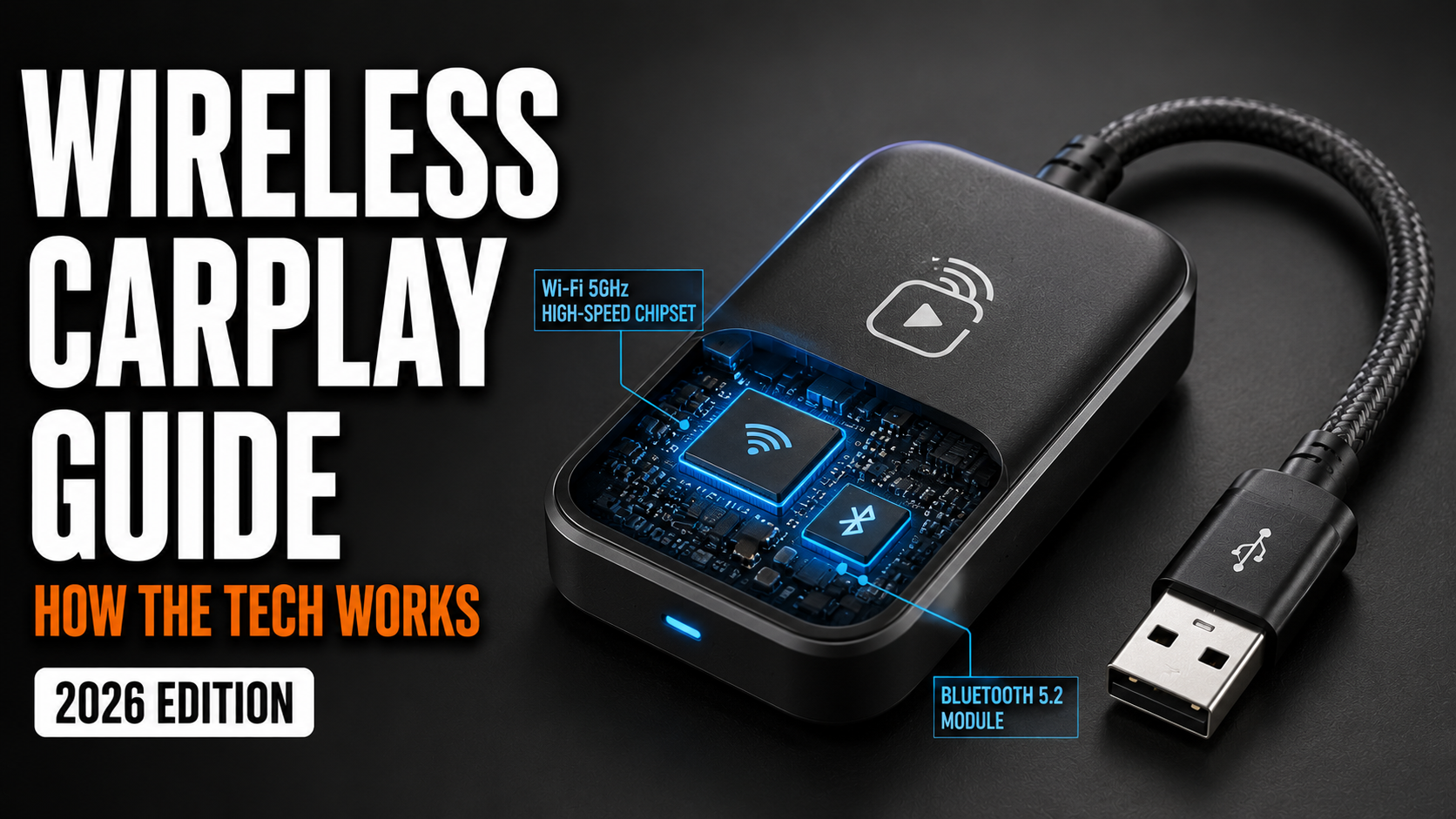

Cut the cord. A Wireless CarPlay adapter is a small, USB-connected bridge that converts your car’s factory-wired CarPlay system into a wireless one, allowing your iPhone to connect automatically the moment you start the engine. It works by mimicking an iPhone to your car’s head unit while creating a high-speed Wi-Fi tunnel to your actual phone.
This guide explains the technical “handoff” that makes this magic happen, compares the best adapters available in India—including the Portronics Tune and Carlinkit 5.0—and identifies the specific scenarios where a wireless connection might actually be a bad idea.
Top Wireless CarPlay Adapters in India (2026)
| Model | Approx. Price | Best For | Connection Time |
|---|---|---|---|
| Portronics Tune 3 | ₹3,200 | Budget Indian Car Owners | 15 – 20 Seconds |
| Carlinkit 5.0 (2Air) | ₹5,500 | Multi-OS Households | 10 – 15 Seconds |
| Carlinkit Mini Ultra 3 | ₹7,800 | 2026 Flagship (iPhone 17) | < 8 Seconds |
| Ottocast U2-Air Pro | ₹6,500 | Speed & Premium Build | 7 – 12 Seconds |
The Technical Handshake: How Wireless CarPlay Actually Works
It’s a two-stage process. Most people assume these adapters work over Bluetooth, but the reality is more complex. Because Bluetooth lacks the bandwidth to stream high-resolution video and lossless audio simultaneously, it only handles the initial “introduction.”
1. The Bluetooth Handshake (Discovery)
When you turn on your ignition, the adapter draws power from the USB port and begins broadcasting a Bluetooth signal. Your iPhone detects this signal and performs a secure handshake. During this phase, the adapter sends its private Wi-Fi network credentials (SSID and password) to your phone over the Bluetooth link.
2. The Wi-Fi Handoff (The Data Pipe)
Once the handshake is complete, the iPhone automatically joins the adapter’s Wi-Fi network. This is almost always a 5.8 GHz frequency. Why not 2.4 GHz? Because the 2.4 GHz band is crowded with interference from your car’s own electronics and other Bluetooth devices, which causes the dreaded “audio stuttering.”
3. Protocol Translation
The adapter functions as a tiny computer (usually running Linux). It receives the wireless CarPlay stream from your phone (encoded in H.264 for video) and translates it into the wired protocol that your car’s USB port understands. This is why there is often a 1–2 second lag when you skip a track—it’s the time taken for the signal to travel from your phone, through the air, into the adapter’s processor, and finally into your car’s head unit.
The “Wired” Prerequisite: Is Your Car Compatible?
Check the port first. A common misconception in India is that these adapters can add CarPlay to any car. They cannot.
Your car must already have factory-fitted wired Apple CarPlay for a wireless adapter to function. If you can currently plug your iPhone into a USB port and see the CarPlay interface on your dashboard, your car is compatible. If your car only has a basic Bluetooth system or a generic Android head unit, a standard wireless carplay adapter for car use will not work.
Technical Note for Newer Cars: If your car only has USB-C ports (like the newer Tata Safari or Mahindra XUV700), ensure you buy an adapter that includes a USB-C to USB-C cable or an OTG converter. Plugging a USB-A adapter into a passive converter can sometimes lead to power-supply fluctuations, causing the device to reboot randomly.
The 45-Minute Rule: Wireless for Commutes, Wired for Road Trips
Convenience has a cost. While a wireless carplay adapter for iphone users is a game-changer for daily office commutes, it introduces two major issues for long-distance driving: Battery Drain and Heat.
- The Battery Tax: Because your phone is maintaining a high-speed Wi-Fi connection while running GPS and Music, the battery drain is significant—typically 10% to 15% per hour.
- The Heat Trap: If you use a wireless charger alongside a wireless CarPlay adapter, your phone is likely to overheat. On a long drive from Delhi to Jaipur in the summer, your iPhone may dim its screen or stop charging entirely as a safety precaution.
Our Take: Use wireless for any trip under 45 minutes. For highway journeys, plug the cable back in. Your battery will thank you.
Deep Dive: Popular Adapters in the Indian Market
1. Portronics Tune (The Budget King)
Portronics has captured the Indian market by offering a reliable 2-in-1 solution (CarPlay + Android Auto) for under ₹2,500.
- The Reality: It’s not the fastest to boot, but it’s remarkably stable in Indian heat.
- Best For: First-time buyers who want to test wireless connectivity without a heavy investment.
2. Carlinkit 5.0 (The Enthusiast’s Choice)
If you want to “tweak” your experience, Carlinkit is the answer. It allows you to access a backend web interface by typing 192.168.1.101 into your phone’s browser while connected.
- The Catch? You can adjust the “Media Delay” and “Frame Rate” to fix lag, but it requires a bit of technical patience.
- Best For: Users who experience compatibility issues with specific car brands like MG or Skoda.
3. Carlinkit Mini Ultra 3 (The 2026 Flagship)
Released in early 2026, the Mini Ultra 3 is the first adapter to feature Bluetooth 5.4 and an aluminum cooling shell designed specifically for tropical climates.
- Information Gain: This model includes a specific “Handshake Fix” for newer Tata and MG vehicles that often suffer from USB connection drops.
- Best For: iPhone 16/17 owners driving 2024+ facelift models (Nexon, Safari, Creta).
4. The Hyundai/Kia OEM Accessory (The Secret Hack)
Many Hyundai and Kia owners in India are frustrated that their 10.25-inch screens only support wired CarPlay. Recently, some dealers have started selling an official wireless carplay adapter for car owners under the Hyundai brand (Model C702).
- Information Gain: This adapter uses a Wi-Fi 6 chip which significantly reduces the audio lag compared to generic Amazon brands.
The Reddit Test: Toll-Plazas and VPN Problems
Knowledgeable users often highlight two “invisible” problems that manufacturers won’t tell you about.
- Toll-Plaza Disconnects: Many Indian toll plazas use high-power electronic sensors and Wi-Fi equipment that can interfere with the 5.8 GHz signal of your adapter. Don’t be surprised if your navigation freezes for 30 seconds as you cross a FASTag lane.
- The VPN Conflict: If you have an active Work VPN or Ad-Blocker (like NextDNS) on your iPhone, the adapter may fail to assign an IP address to your phone, preventing the CarPlay session from starting. You must whitelist the adapter’s local IP or disable the VPN before driving.
Comparison of Wireless CarPlay Adapters
| Feature | Portronics Tune | Carlinkit 5.0 | Ottocast U2-Air |
|---|---|---|---|
| Typical Price (INR) | ₹2,299 | ₹4,999 | ₹5,800 |
| Boot Time | ~18 Sec | ~12 Sec | ~8 Sec |
| Android Auto Support | Yes | Yes | No (U2-Air is iOS only) |
| Firmware Updates | Limited | Extensive (via Browser) | Via Mobile App |
| Warranty | 1 Year (Local) | Seller Dependent | International |
When to Skip the Wireless Adapter
Don’t buy one if you are a Highway Cruiser. If 90% of your driving involves 4-hour highway stretches at 100 km/h, the convenience of not plugging in is outweighed by the constant need to manage your phone’s temperature and battery levels.
Additionally, if your car’s head unit is notoriously slow (older Marutis or budget aftermarket units), adding the extra processing layer of an adapter will result in a laggy, frustrating touch experience. In these cases, the “wire” is your best friend for fluidity and reliability.
FAQ: Common Wireless CarPlay Questions in India
Does it work as a wireless carplay adapter for android?
Yes, but you must ensure the model is “2-in-1.” Most modern versions like the Carlinkit 5.0 or Portronics Tune support both Wireless CarPlay and Wireless Android Auto.
Why does my phone say “No Internet” when connected?
Your phone is using Wi-Fi to talk to the car, not for internet. Most iPhones will automatically switch to Cellular Data for maps and music while staying on Wi-Fi for CarPlay. If it doesn’t, check your settings to ensure “Wi-Fi Assist” is turned on.
Is there a way to reduce the 2-second audio lag?
The reality is that some lag is inherent to the wireless protocol. However, updating your firmware or switching to a 5.8 GHz-only setting in the adapter’s backend (192.168.x.x) can often shave a few milliseconds off the delay.